
If you've recently opened the Microsoft 365 app on iOS or Android, you may have noticed something subtle, yet significant. The familiar "hub" for your documents has undergone a fundamental DNA change.
In early 2025, as part of Microsoft's aggressive AI-first strategy, the unified app transitioned into the Microsoft 365 (Copilot) app. On the surface, it looks like a simple rebrand. It isn't.
What Actually Changed?
The shift moves the app from a utility (doing work) to a gateway (consuming AI services). Here is the breakdown:
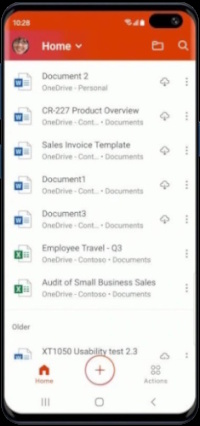
- The Copilot Takeover: The "Home" screen is no longer a list of your recent files — it is a chat interface. The UI is designed to make you talk to the AI before you even look at your data.
- The OneDrive Dependency: This is the most critical change for privacy-conscious users. To leverage AI summarisation or "Chat with this document," files are often auto-uploaded to OneDrive. Local-only workflows are being systematically sidelined to ensure the AI has cloud access to your data.
- Feature Fragmentation: Editing tools that were once built-in are being stripped back. If you want to change a cell in a spreadsheet, the app now nudges — or forces — you to download the standalone Excel app.
- The "Double App" Strategy: Microsoft now maintains two nearly identical Copilot entry points. By repurposing the Office hub, they've instantly gained millions of "active users" for Copilot, inflating adoption metrics that the standalone Copilot app failed to achieve on its own.

Three Strategic Goals
Microsoft is betting that users value convenience over cohesion. By turning the Office hub into an "interaction layer," they accomplish three strategic goals:
- Cloud Lock-in: By making AI features dependent on OneDrive, they discourage the use of local storage or competing cloud services like Google Drive or iCloud.
- Subscription Upselling: The Copilot funnel is a direct path to the $20/month Copilot Pro subscription. The app is now essentially a 24/7 advertisement for that upgrade.
- Algorithmic Training: Every interaction within this new "chat-driven workflow" provides Microsoft with invaluable data on how users query and interact with professional documents.
The Impact on the Power User
For the average person, this is an annoyance. One app has become four — the Hub, plus Word, Excel, and PowerPoint as separate downloads. For the professional, it's a workflow disruption. The "All-in-One" promise of the mobile Office app was its greatest strength. By breaking that promise, Microsoft is prioritising its AI roadmap over user efficiency.
If you value document sovereignty, check your settings immediately. The "Auto-upload for AI" features are often enabled by default, meaning your sensitive local drafts may be hitting the cloud the moment you tap them.
The larger question isn't whether Microsoft's AI strategy will succeed — it's whether users will accept having their productivity tools repurposed as data collection and upsell mechanisms. For now, the answer appears to be: quietly, and without much choice.